
Reserve providers, models, and integrations for the people who need them
A reservation starts with a resource and says who can use it. A policy starts with people and restricts what they can do.
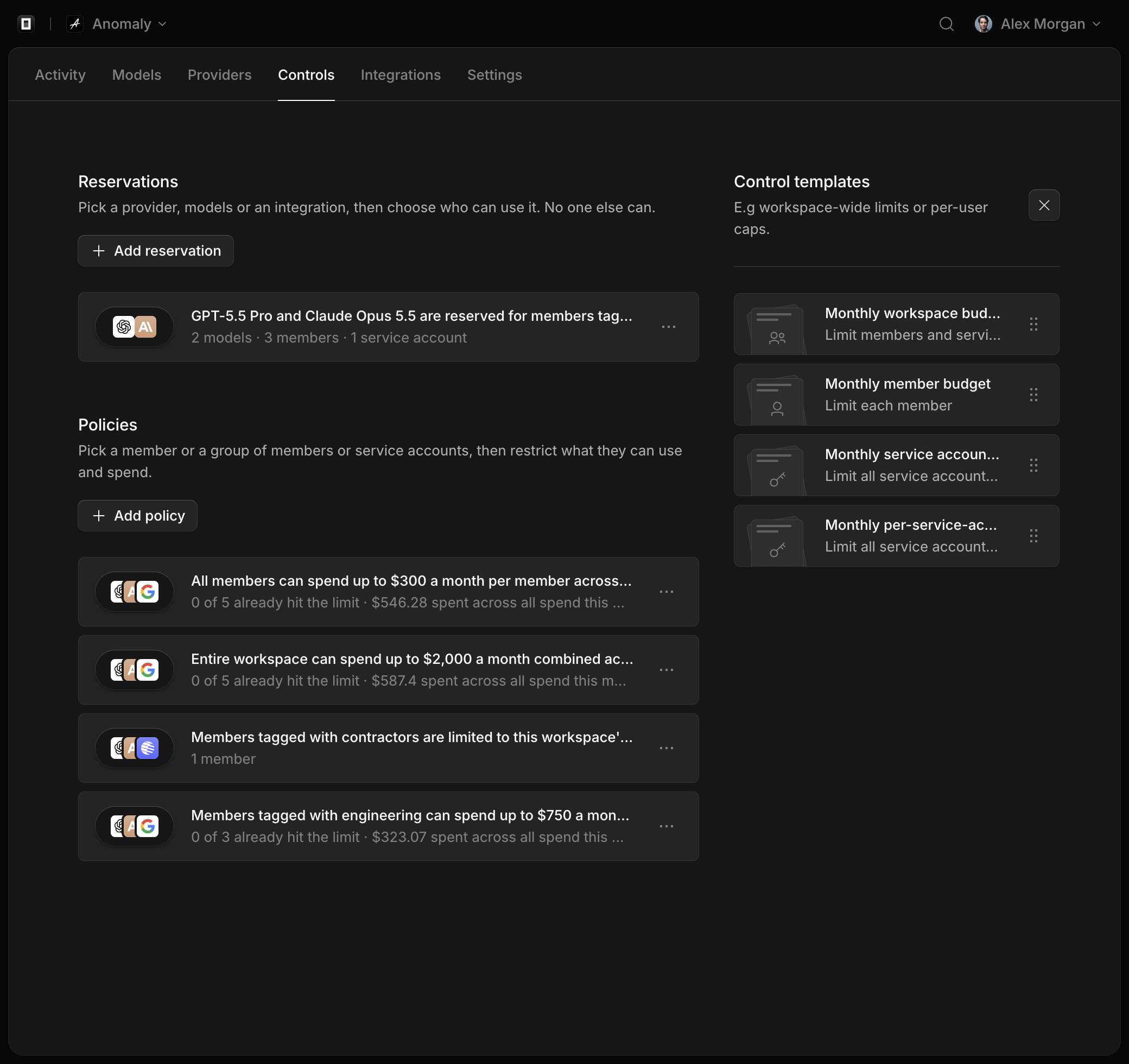
Controls now has two kinds of rules, and they start from opposite ends:
- A reservation starts with a resource: a provider, a set of models, or an integration. Then it says who can use that resource. No one else can.
- A policy starts with people: a member, a group of members, or a group of service accounts. Then it restricts what those people can do: how much they can spend, and which models, providers, tools, and integrations they're limited to or kept from.
Use a reservation when you want to say who can use something. Use a policy when you want to limit what someone can do.
Reserve a resource
In Controls, choose Add reservation. First pick the resource:
- A provider you've connected, with every model it serves.
- Models, picked by name or chosen by vendor and price, from any provider.
- An integration: Console MCP or Hosted Web Search, which only members use.
Then choose who can use it: members with a tag, people you pick, service accounts, all members, or all service accounts.
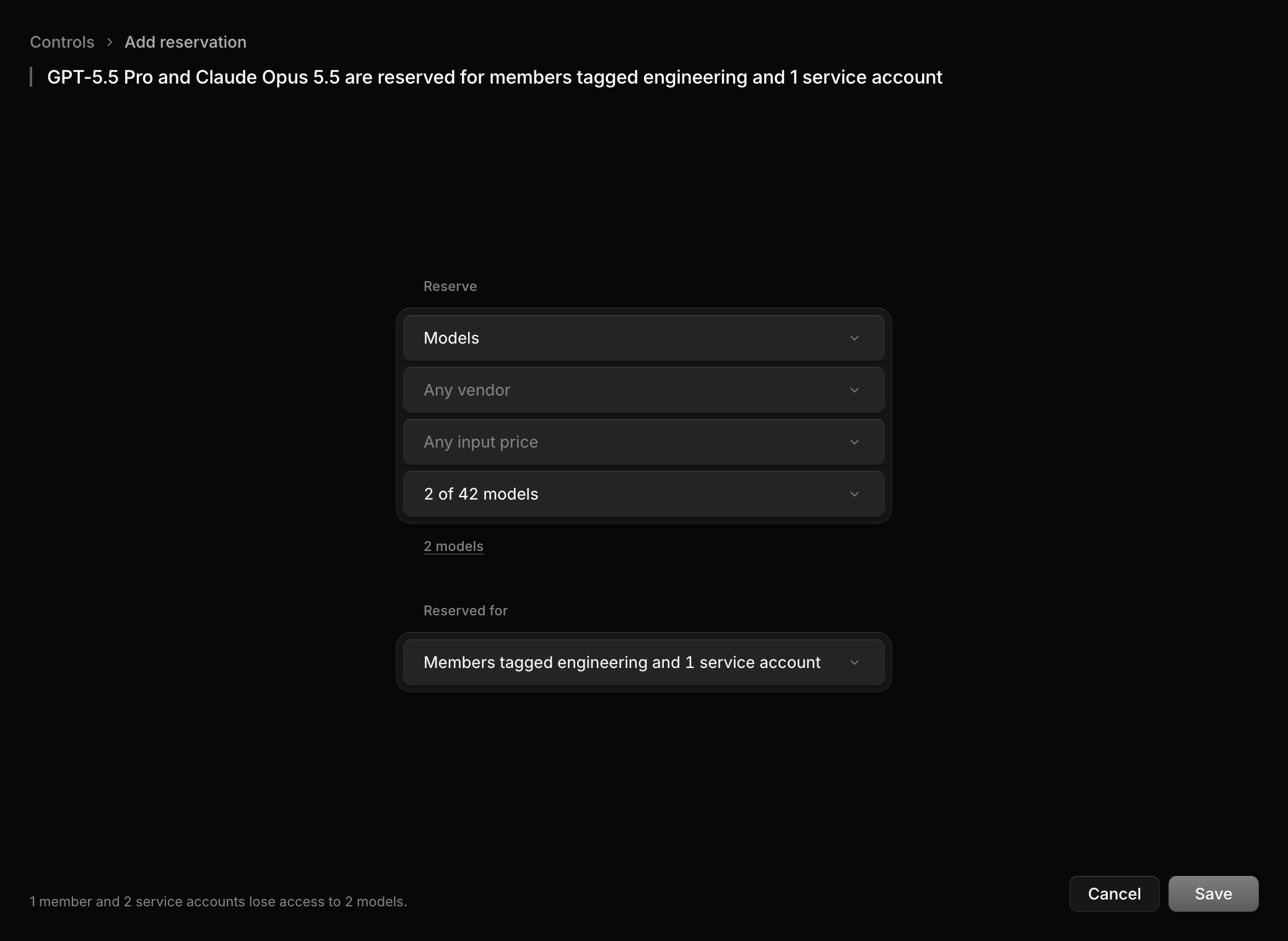
Anyone a reservation doesn't name can't use the resource, whatever their policy allows. Reserve the same resource more than once and the reservations add up: anyone named in any of them can use it.
Before you save, the builder shows who would lose access, and warns you if it would cut off anyone who used OpenCode in the last 30 days. It also tells you when someone it names still can't use the resource, because of another reservation or their policy.
Where reservations show up
- A provider's page lists its reservations under Who can use this?.
- In Providers, reserved providers and models are tagged Reserved. Hover the tag to see who they're for.
- When a reservation refuses a request, Logs names the reservation.
Policies only restrict their own people
A policy's Models rule now does one of two things to the people it covers: limits them to the models it picks (Limited to), or keeps them from those models (Can't use). It no longer keeps models for those people and away from everyone else. To do that, reserve the models instead.
Your existing rules have moved
Some Models rules used to work like reservations, keeping models for certain people. Those are now reservations, and Logs that named those rules now name their reservations. A rule for everyone except some people is now a Can't use rule in the policy for the people it left out. In a workspace with one member, Models rules for members were removed, since they only applied to people invited later.
Nobody's access changed in the move.